
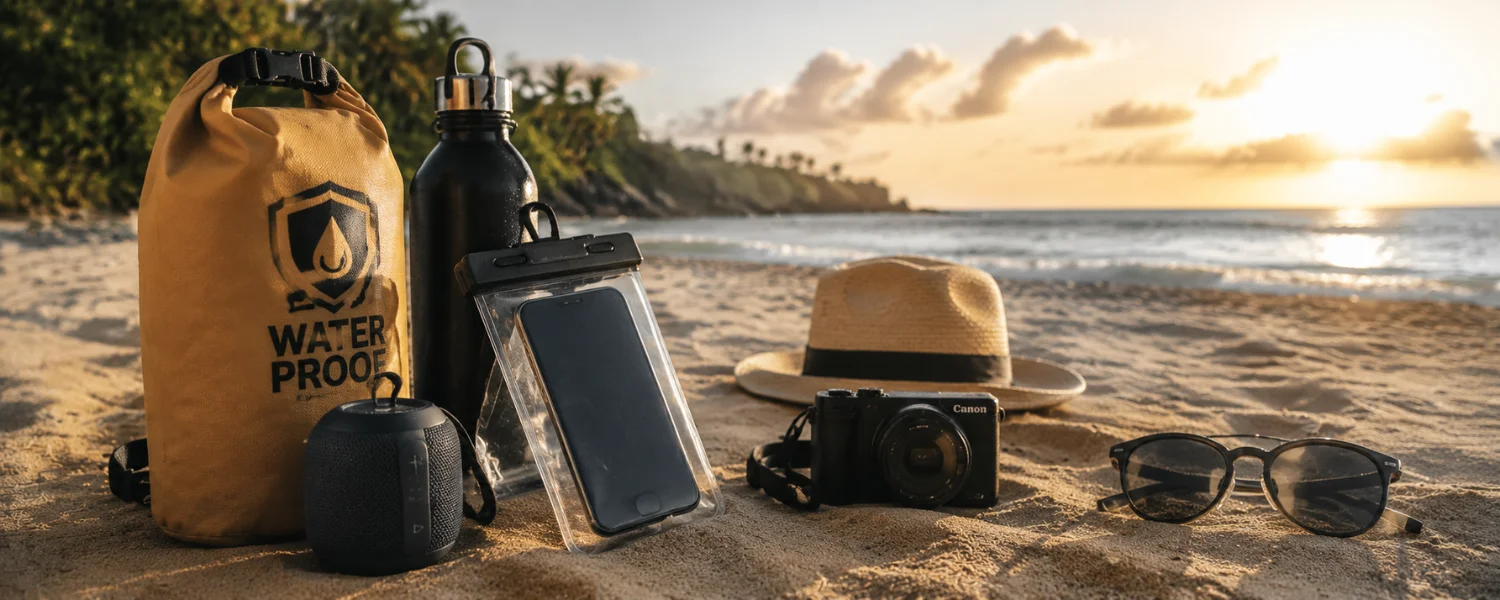
The beach, pool, and long travel days are hard on tech. Between splashes, sand, heat, and opportunistic theft, your phone, laptop, headphones, and kids’ tablets need a little extra care. With a few smart moves before and during your trip, you can stay connected, capture every moment, and come home with happy memories—not expensive repairs.
Essential Tips to Protect Gadgets on Vacation
1) Shield phones and tablets from water and sand
Summer invites you to bask by the pool or dive into the sea, but gadgets, water, and sand don’t mix. Slip your phone or tablet into a certified waterproof case or dry bag so you can relax without worrying about splashes or grit. Advanced thermoplastic cases form a tight seal against water and sand, while clear pouches still let you shoot photos and answer calls.
- Best for: Beach, pool, boat trips, sudden rain
- Takes: 1–2 minutes to fit and test the seal
- Tools: IP-rated waterproof case/dry bag, wrist lanyard
Pro tip: If sand sneaks into ports, blow it out with short bursts of compressed air; don’t poke with cotton buds, which can scratch or push debris deeper. Rinse cases with fresh water after salt exposure and wipe sunscreen off screens—it can degrade coatings.
2) Understand water resistance and IP ratings
“Water-resistant” is not “waterproof.” IP ratings (like IP67 or IP68) describe depth and time in fresh water under lab conditions—not waves, salt, or soapy pool water. For example, earlier Apple Watch models tolerate brief, shallow submersion; that doesn’t make them swim-proof.
- Best for: Anyone relying on factory “water resistance”
- Takes: 5 minutes to look up your device’s rating
- Tools: Manufacturer specs; avoid hot tubs, salt, and soaps
Pro tip: Before swimming, remove devices or store them in a dry bag. If a device gets wet in salt water, power it off and gently rinse with fresh water before drying.
3) Clean safely after the beach
Sand acts like sandpaper. Avoid wiping gritty screens or lenses. Instead, shake off loose grains, use compressed air for ports, and finish with a microfiber cloth. If moisture is involved, let ports air-dry fully before charging.
- Best for: Phones, cameras, earbuds, e-readers
- Takes: 5–10 minutes
- Tools: Compressed air, microfiber cloth, silica gel packs
Pro tip: Store gadgets with a few silica gel packets in a zip bag overnight to help draw out humidity.
4) Deter beach and city theft
Busy beaches and tourist spots attract opportunistic thieves. Keep gadgets in sight, never leave them unattended on towels, and avoid flashing devices in crowds. Use anti-theft bags with lockable zippers and keep valuables on you when swimming by taking turns.
- Best for: Beach days, sightseeing, transit hubs
- Takes: Ongoing awareness
- Tools: Anti-theft daypack, cable lock for café tables
Pro tip: Photograph device serial numbers before your trip and keep them in the cloud; they help with police reports and insurance claims.
5) Lock down devices with strong authentication
Strong device locks buy precious time if a gadget goes missing. Set a unique PIN, passcode, or long password and enable biometrics. Disable lock-screen previews for messages and emails so sensitive info isn’t visible without unlocking.
- Best for: All phones, tablets, laptops
- Takes: 5–10 minutes
- Tools: Device settings; password manager
Pro tip: Change default router passwords if you’re traveling with a hotspot or travel router.
6) Turn on tracking and remote-wipe features
Both Android and iPhone let you locate, lock, or erase a lost device remotely. Enable Find My Device (Android) or Find My/iCloud (Apple) and test that location services work. Add tracking tags (like AirTag/Tile) to luggage and camera bags.
- Best for: Quick recovery after loss
- Takes: 5 minutes to set and test
- Tools: Find My, Find My Device, tracking tags
Pro tip: Keep devices signed in but require a passcode to disable tracking, so thieves can’t switch it off easily.
7) Use the hotel safe wisely
When you don’t need a device, leave it in your room, ideally in a safe. It reduces the chance of loss on outings and removes the temptation to check gear on the beach. For items too large for a safe, use a lockable bag tethered to a sturdy fixture.
- Best for: Spare phones, laptops, passports
- Takes: 2 minutes
- Tools: Room safe, portable lock box/cable
Pro tip: Don’t store the only copy of critical data in the safe—keep cloud backups current in case of a hotel-room incident.
8) Be cautious on public Wi‑Fi
Café and hotel networks are convenient but risky. Verify the exact network name with staff, avoid sensitive logins (banking or tax portals), and prefer apps and sites that use HTTPS. Turn off auto-join for open networks.
- Best for: Airports, hotels, restaurants
- Takes: Ongoing
- Tools: Browser padlock/HTTPS, private hotspot fallback
Pro tip: Use your phone’s hotspot for anything sensitive if a VPN isn’t available.
9) Use a reputable VPN for extra protection
A trustworthy VPN encrypts your traffic on public networks, shielding logins and browsing from snoops. Choose a provider with audited no-logs claims and fast local servers to keep maps and calls snappy.
- Best for: Remote work, email, travel bookings
- Takes: 10 minutes to install and test
- Tools: Paid VPN app, auto-connect on untrusted Wi‑Fi
Pro tip: Even with a VPN, avoid conducting urgent banking on unfamiliar Wi‑Fi; schedule critical tasks for known, secure connections.
10) Tame roaming costs with eSIMs and local SIMs
Roaming surprises can be brutal. Review your contract for roaming coverage; if uncertain, switch to a pay‑as‑you‑go or travel eSIM with clear rates. Turn off data roaming and lean on Wi‑Fi when possible.
- Best for: International trips, multi-country itineraries
- Takes: 15–20 minutes to compare and install
- Tools: Travel eSIM apps, APN settings, Wi‑Fi calling
Pro tip: Download offline maps and translation packs before departure so you aren’t forced to enable data when you land.
11) Pack the right power: adapters, surge, and banks
Power needs multiply on the road. Bring a universal adapter that supports your destination’s plug type and voltage, a small surge-protected power strip, and a reliable power bank. Remember: lithium-ion power banks go in carry-on, not checked bags.
- Best for: Families charging multiple devices
- Takes: 10 minutes to assemble a kit
- Tools: Universal adapter, 65W+ charger, USB-C cables, 10–20k mAh bank
Pro tip: Know airline limits (typically up to 100Wh without approval, 100–160Wh with approval) and label your power bank’s Wh rating.
12) Protect against heat and sun
Car dashboards and sun loungers can exceed safe temperatures fast. Overheating can damage batteries and screens. Keep devices shaded, avoid car trunks, and use insulated pouches on hot days.
- Best for: Beach/pool days, road trips
- Takes: Ongoing awareness
- Tools: Shade pouch, reflective dash mat, cooling towel
Pro tip: If a device overheats, power it down and let it cool naturally—don’t put it in a fridge, which can introduce condensation.
13) Don’t overestimate earbud and headphone water resistance
AirPods and most earbuds are water resistant, not waterproof. They’re fine for sweat and light rain—not swims or showers. For poolside listening, choose IPX7/8 sport earbuds or keep standard models well away from splashes.
- Best for: Music at the beach and gym
- Takes: 2 minutes to check your model’s rating
- Tools: IP-rated earbuds, waterproof case
Pro tip: Keep charging cases dry; many aren’t rated for moisture even if the buds are.
14) Back up before you go—and while you travel
If a phone is lost or soaked, a recent backup turns disaster into an inconvenience. Run a full backup before departure, enable automatic photo uploads, and consider a tiny SSD for on-the-go laptop or camera backups.
- Best for: Photographers, students, remote workers
- Takes: 30–60 minutes (first backup), minutes thereafter
- Tools: iCloud/Google Photos/OneDrive, 1–2TB SSD
Pro tip: Set your camera or phone to back up nightly on hotel Wi‑Fi so you never risk a week’s memories.
15) Use two-factor authentication and travel-friendly login options
2FA stops most account takeovers. Prefer app-based prompts or authenticator codes over SMS, which can fail abroad or be vulnerable to SIM-swap. Print or store backup codes securely before you leave.
- Best for: Email, banking, social, cloud storage
- Takes: 10–15 minutes per critical account
- Tools: Authenticator app, passkeys, backup codes
Pro tip: Add a trusted device at home so you can still log in if your phone is lost.
16) Minimize data exposure with a “travel profile”
Carry only what you need. Remove sensitive apps, sign out of financial accounts, and turn off unnecessary permissions. Consider a secondary “travel phone” for higher-risk trips.
- Best for: High-theft destinations, big events
- Takes: 20–30 minutes
li>Tools: Guest mode, app offloading, secondary SIM/device
Pro tip: Download boarding passes and tickets to a wallet app for offline access, then lock the app with biometrics.
17) Manage location data in photos and social posts
Geotags can reveal where you’re staying or that your home is empty. Disable location for the camera or strip metadata before sharing publicly. Post highlights after you’ve left a location.
- Best for: Social sharing without oversharing
- Takes: 5 minutes to set up
- Tools: Camera privacy settings, metadata removal apps
Pro tip: Use private sharing to family and close friends, and keep public posts general.
18) Kid-proof family devices
Little hands, big drops. Add rugged cases, tempered-glass protectors, and download offline entertainment to reduce data use. Set screen-time limits and content filters before you travel.
- Best for: Tablets and phones used by kids
- Takes: 20 minutes
- Tools: Rugged case, parental controls, kid headphones
Pro tip: Put devices in “Guided Access” or “Kids Mode” to prevent accidental purchases or settings changes mid-flight.
19) Keep gear close and cushioned in transit
Always carry laptops, cameras, and power banks in your cabin bag. Use padded sleeves, avoid overstuffing, and organize cables to prevent port strain. At security, watch your bins until you’re through the scanner.
- Best for: Flights, trains, buses
- Takes: Ongoing
- Tools: Padded sleeves, cable organizers, AirTag/Tile in bags
Pro tip: Place ID info inside your laptop sleeve—not just on a luggage tag that can be removed.
20) Prepare for worst cases: documentation and insurance
Have a plan if something goes wrong. Record IMEI and serial numbers, keep receipts or purchase proof in the cloud, and confirm your travel or device insurance covers theft and liquid damage abroad.
- Best for: Smooth claims and police reports
- Takes: 15 minutes
- Tools: Cloud notes with serials, policy PDFs, photos of gear
Pro tip: Save local emergency numbers and your embassy contact offline.
21) If a device gets wet, do this—fast
Act quickly to save water-exposed tech. Power off immediately, remove cases and accessories, and gently rinse with fresh water if salt or chlorine is involved. Dry externally, then leave in a ventilated place with desiccants for 24–48 hours before attempting power-on.
- Best for: Phones, watches, earbuds, cameras
- Takes: 1–2 days to fully dry
- Tools: Soft cloth, fresh water rinse (for salt), silica gel
Pro tip: Skip rice—it’s dusty and less effective. Never charge a wet device; seek a reputable repair shop if you see condensation under the screen or lens.
Quick Pre-Trip Checklist
- Run full backups; enable photo auto-uploads.
- Turn on Find My/Find My Device and test remote lock/wipe.
- Set strong passcodes; enable 2FA and pack backup codes.
- Install a trusted VPN; disable auto-join to open Wi‑Fi.
- Confirm roaming; install a travel eSIM or plan for a local SIM.
- Pack universal adapter, surge-protected charger, and carry-on power bank.
- Photograph serial numbers; verify insurance coverage.
- Add waterproof cases/dry bags and microfiber cloths.
- Ruggedize kids’ devices and pre-download offline media and maps.